
Converting leads is one of the most important steps in any sales process. In Zoho CRM, lead conversion allows you to move a prospect from the Leads module into actionable records such as Contacts, Accounts, and Deals, ensuring your sales pipeline remains accurate and well-organized.
This quick training guide shows the exact steps to convert a Lead into a Contact, Account, and Deal in Zoho CRM.Step 1: Open the Leads Module
Log in to Zoho CRM
Click Leads from the top menu
Open the lead you want to convert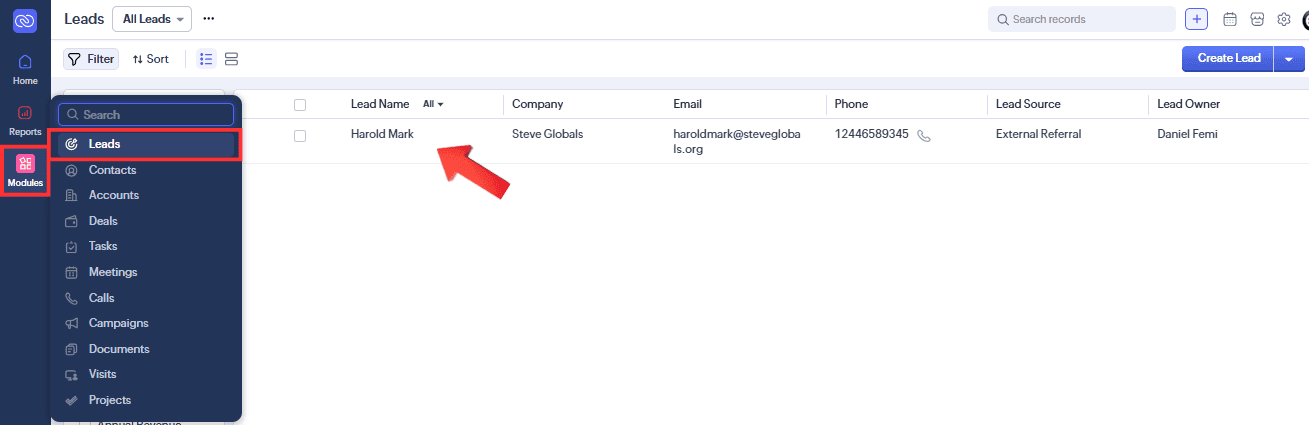
Step 2: Click the Convert Button
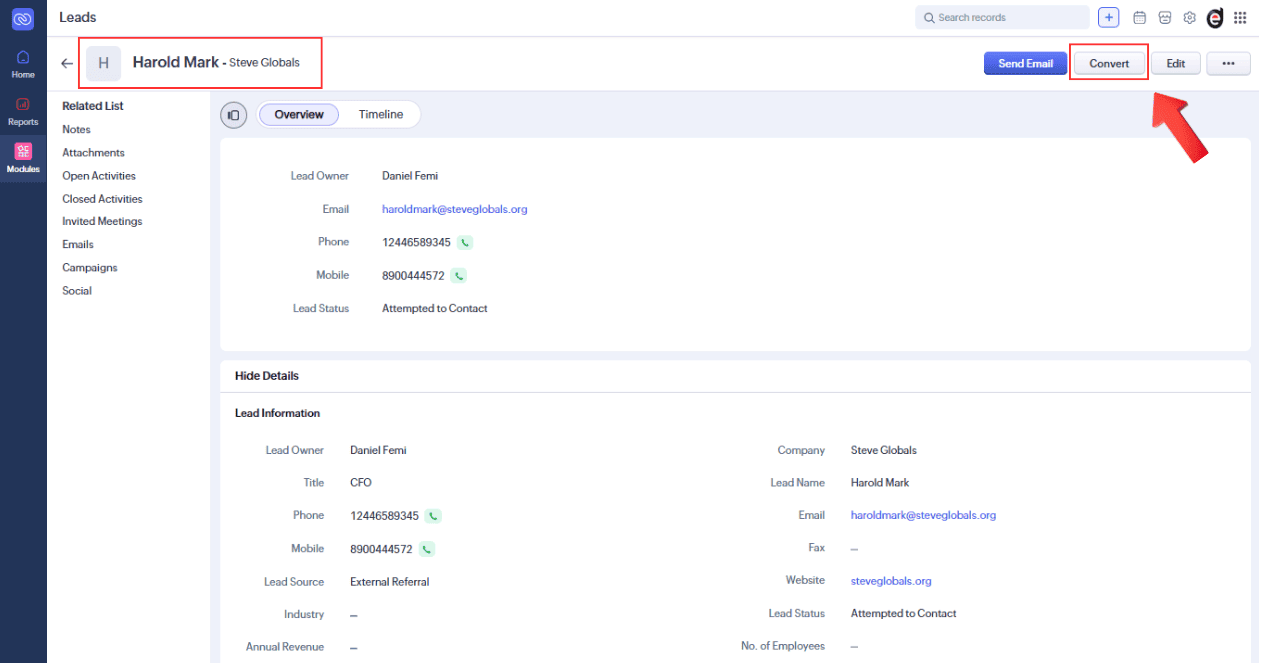
Step 3: Review Contact Details
Zoho CRM prepares a Contact automatically
Review name, email, phone, and designation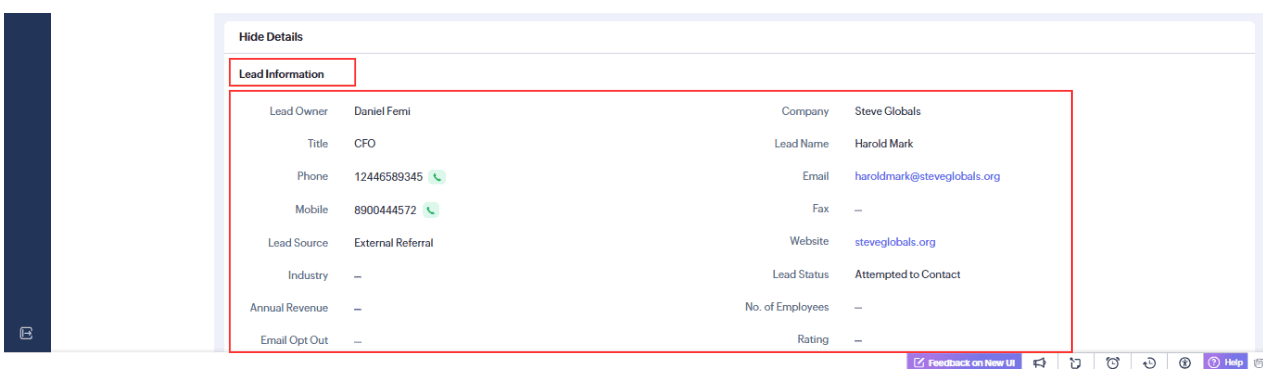
Step 4: Review or Select Account
Confirm the Account (Company Name)
Select an existing account if it already exists
Otherwise, allow Zoho CRM to create a new one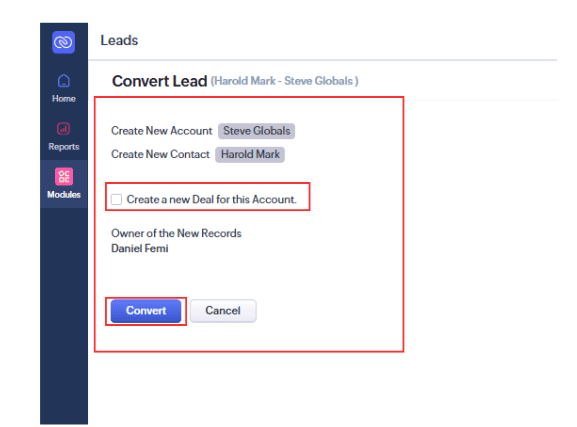
Step 5: Create a Deal (Optional)
Enable Create a Deal
Enter: Deal Name, Amount, Closing Date, and Stage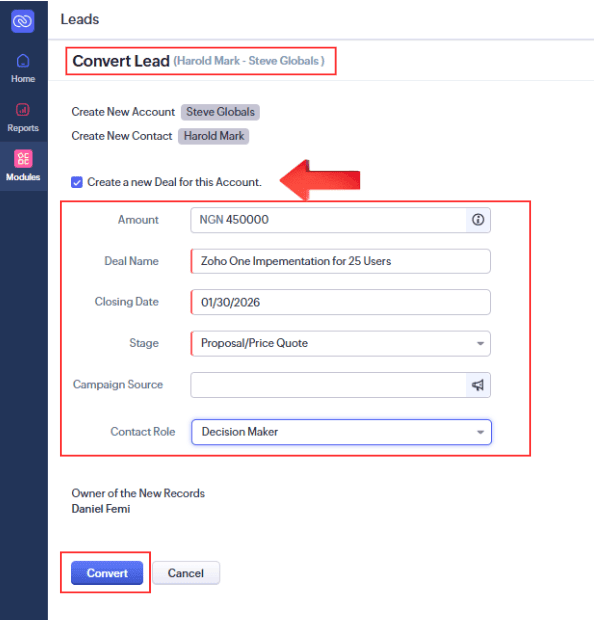
Step 6: Convert the Lead
Review all details
Click Convert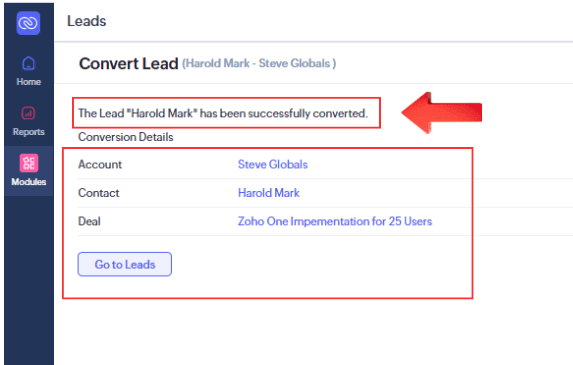
Step 7: Confirm Converted Records
Check Contacts for the new contact
Check Accounts for the company record
Check Deals for the sales opportunity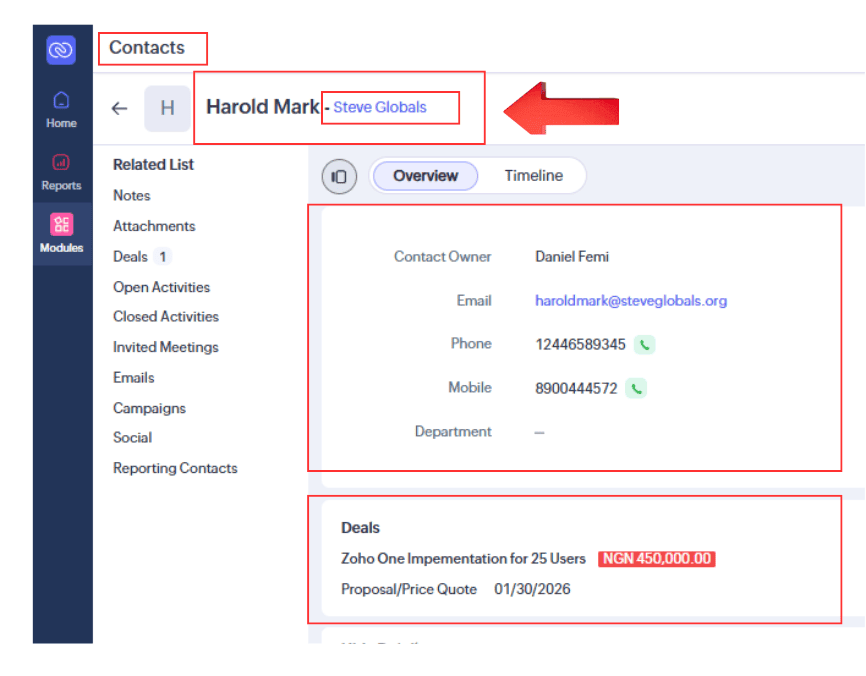
Conclusion
In this guide, we’ve shown you how to convert your Lead into a Contact, Account, and Deal. Whether you’re converting a single Lead or mass converting thousands of Leads, these quick and easy steps will help you get it done accurately.
If you require further assistance or support on Zoho CRM, Desk or any other customer interaction and engagement application on Zoho, please reach out to us here.