
What is Zia AI?
Zia AI is like your personal assistant built right into Zoho CRM, ready to help you make sense of your data, predict what’s coming next, and take care of those everyday CRM tasks. Instead of spending time sifting through reports, trends, or customer behavior, Zia AI quietly works in the background to bring you insights, suggestions, and alerts that help you make key and important decisions.
Whether it’s predicting sales, spotting anomalies, or chatting with you, Zia AI is fully integrated into Zoho CRM, so you don’t have to worry about it being a separate add-on. It’s super easy to access while you’re navigating the CRM dashboard, reports, and records.
If you’re already using Zoho CRM and want to know where to find Zia AI, what it can do for you, and how to get started, this guide has got you covered!How to find Zia AI in Zoho CRM
Zia AI is pretty handy, and you can find it in various parts of Zoho CRM without needing to install or activate anything extra.
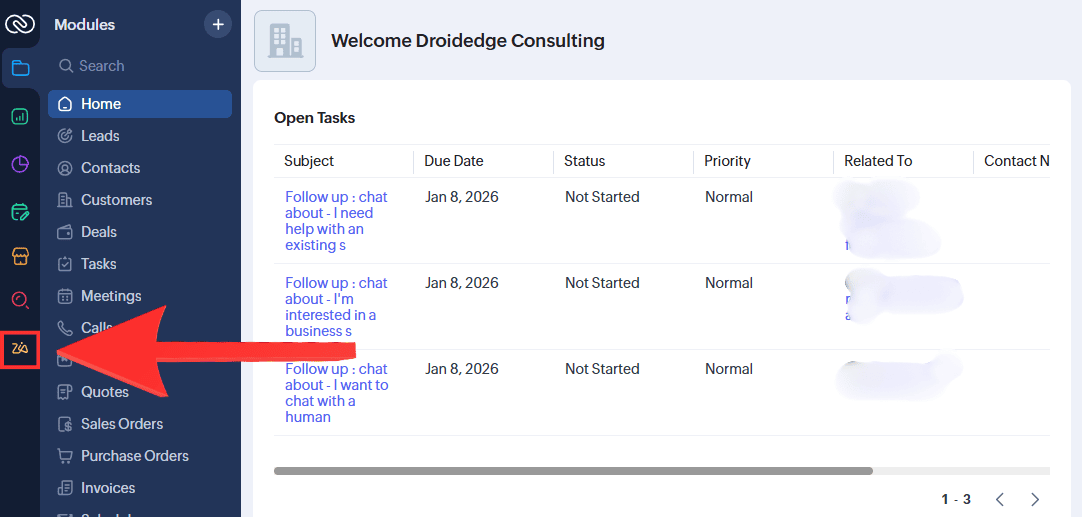
You can easily access Zia AI from:
The Zia icon in the top-left corner of Zoho CRM
Module dashboards like Leads, Contacts, Accounts, and Deals
The reports and analytics sections
Email and activity-related records
How to use Zia AI in Zoho CRM
1. Using Zia AI as a conversational assistant
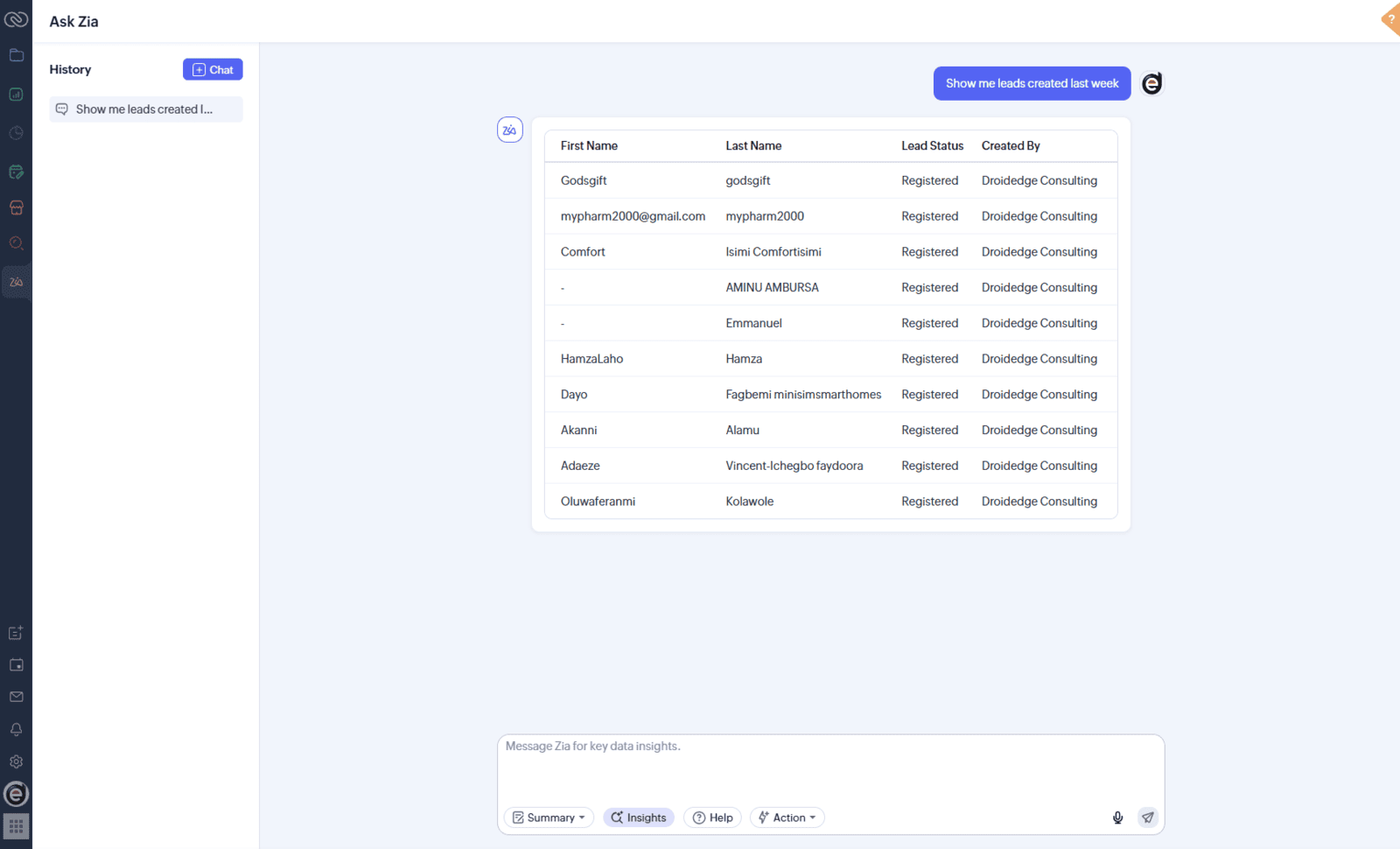
Zia AI includes a chat-style assistant that allows you to ask questions about your CRM data in natural language.
Examples of what you can ask Zia:"How many deals were closed this month?"
"Show me leads created last week"
"Which salesperson has the highest conversion rate?"
2. Sales predictions and deals insight
The chances of closing a deal
Expected revenue
The best time to reach out to a lead
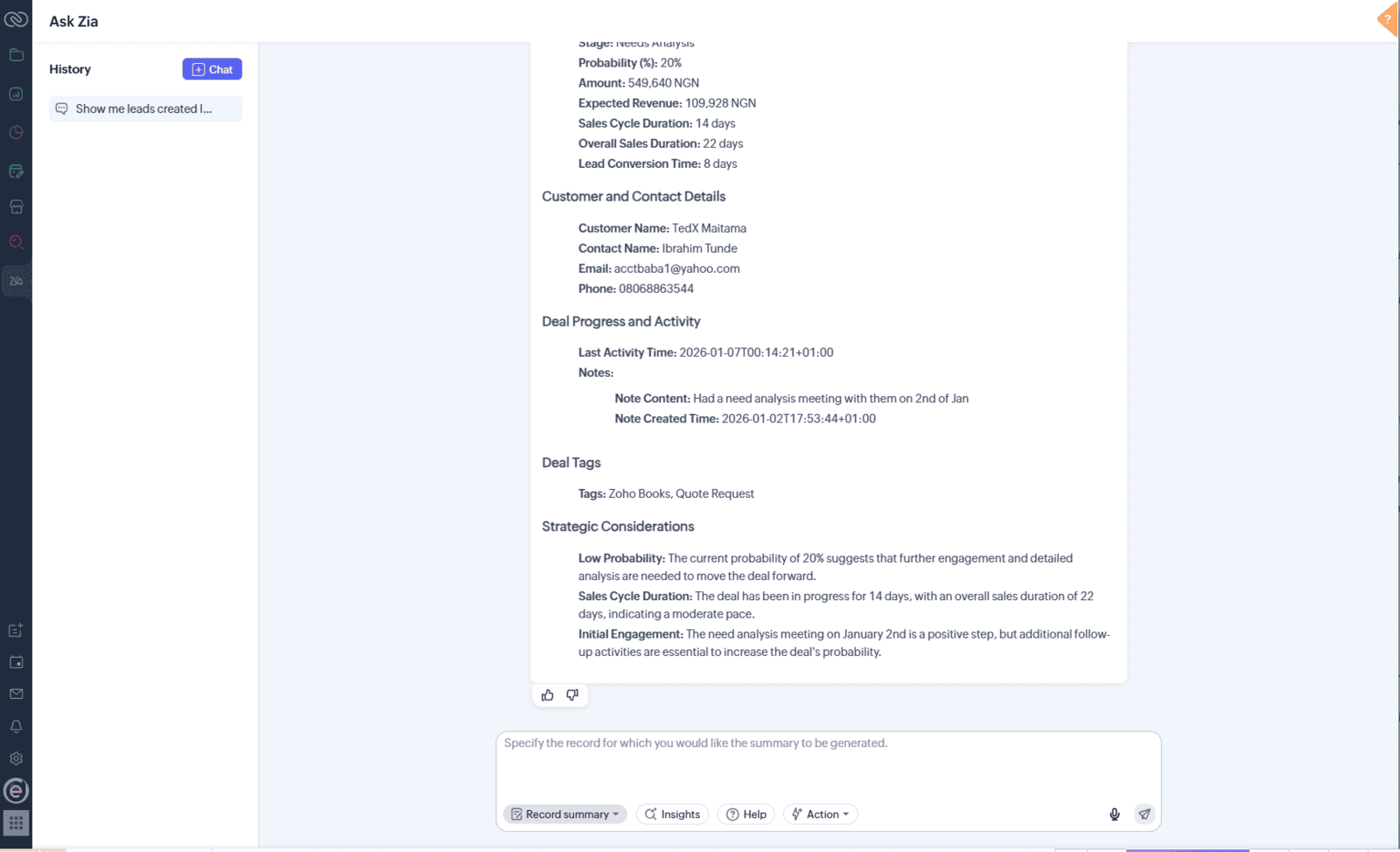
You’ll find these insights right in your deal records and pipeline views, making it easier for sales teams to focus on the opportunities that are more likely to convert.
Plus, Zia keeps learning from your CRM data, so the predictions just get better as you feed your CRM.3. Zia anomaly detection
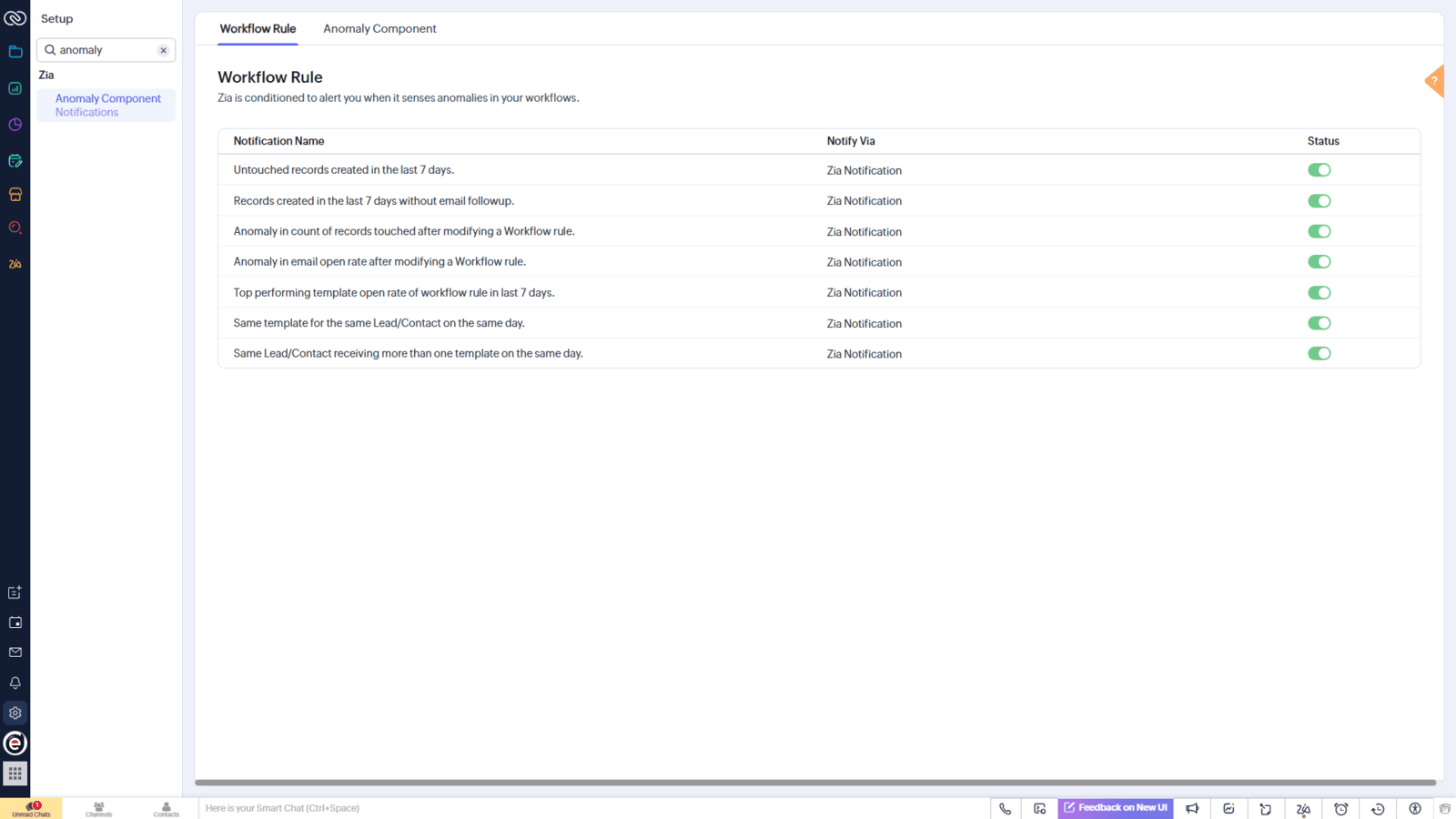
Zia AI keeps an eye on your CRM activities and performance metrics to spot anything out of the ordinary.
Like, for instance:A sudden dip in lead conversion rates
A surprising drop in sales activity
Odd deal values
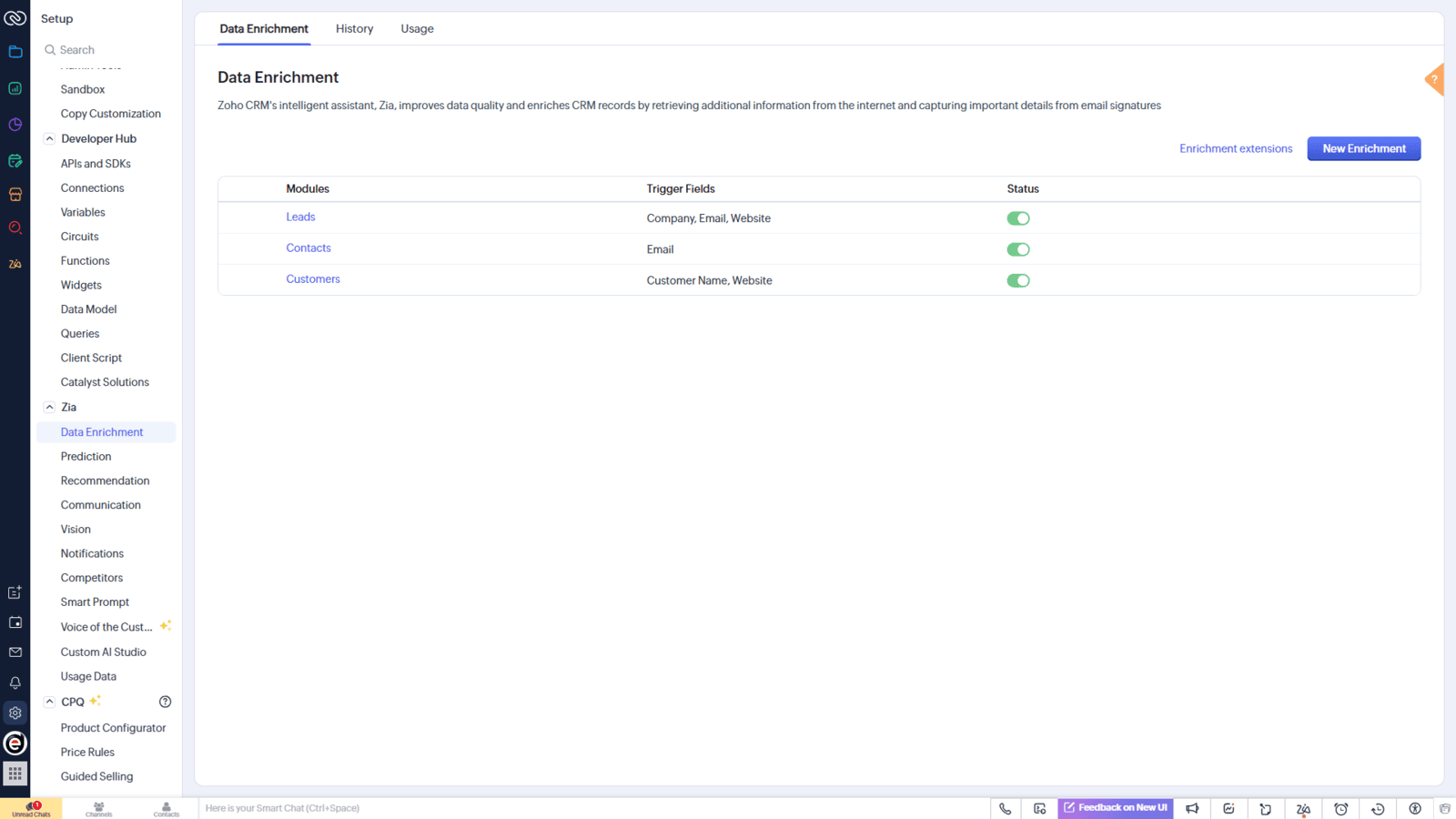
4. Data enrichments and field suggestions
Pointing out any missing field values
Spotting duplicate records
Flagging inconsistent data entries
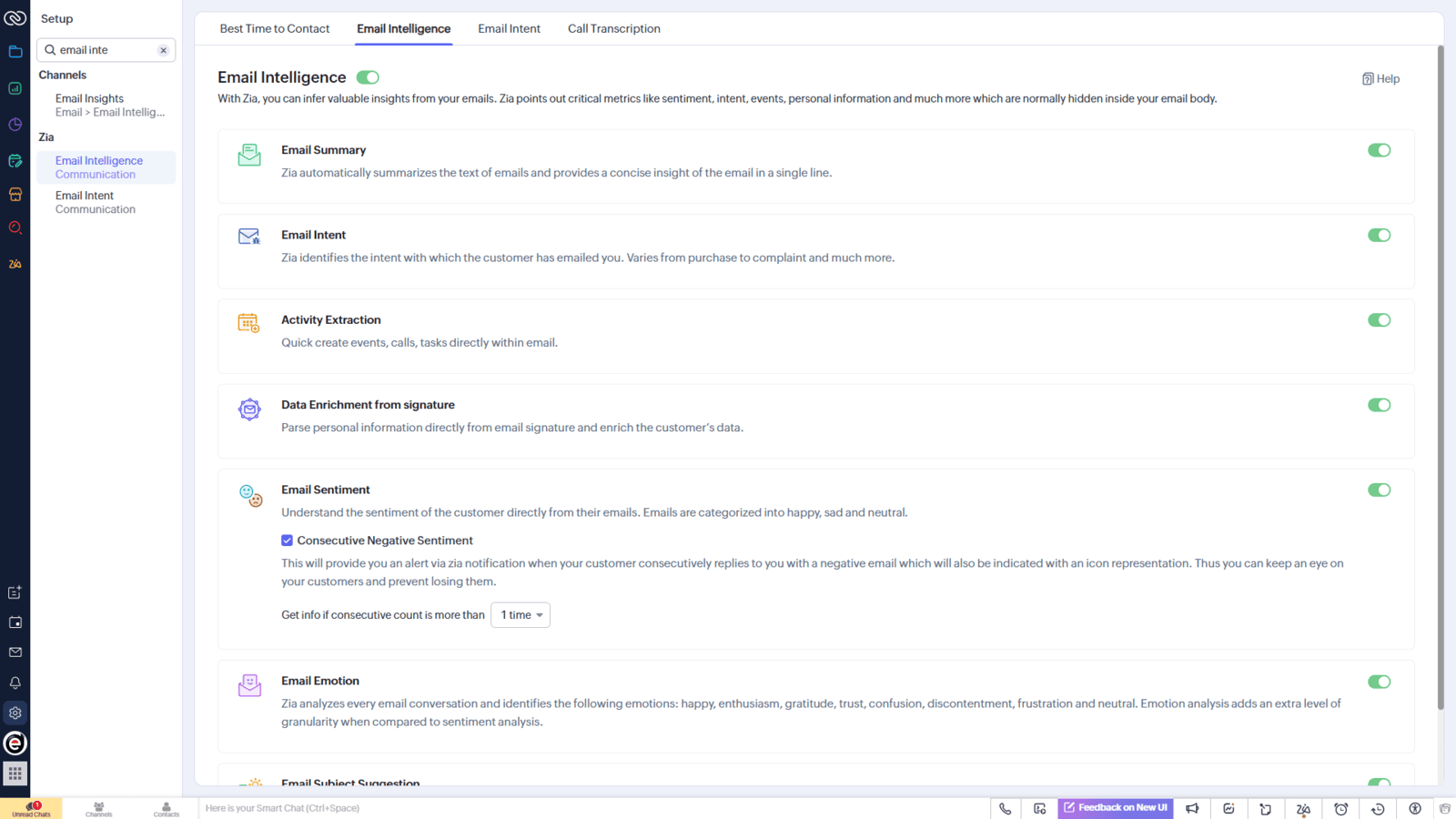
5. Email intelligence and sentiment analysis
Email sentiment (positive, neutral, or negative)
Best time to send emails
Engagement-based suggestions
6. Zia AI for forecasting and reports
Users can:
View AI-powered sales forecasts
Get explanations for performance changes
Receive suggestions for improving outcomes
How to enable or configure Zia AI
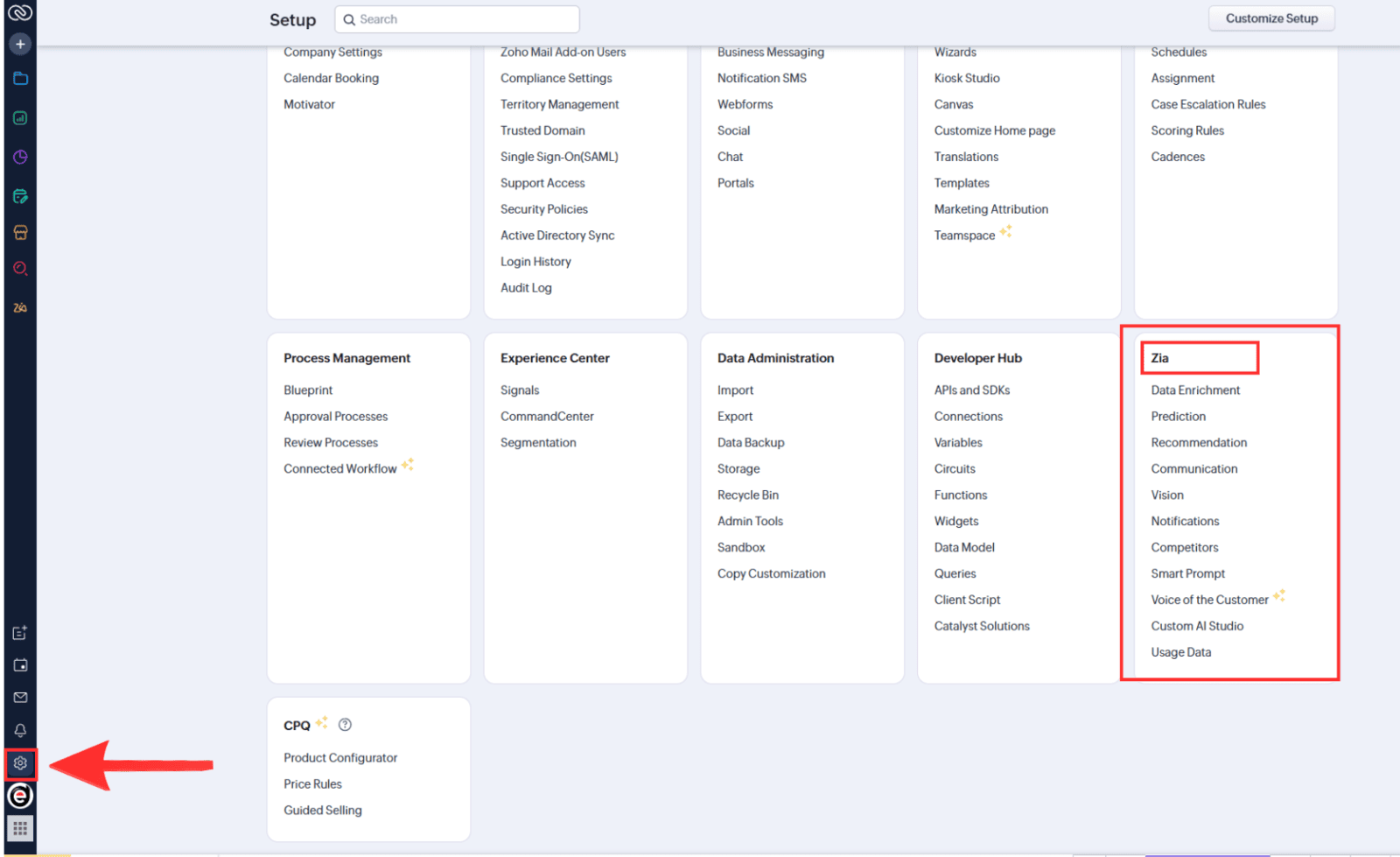
Review Zia-related settings under Setup
Grant appropriate user permissions
Ensure enough historical data exists for predictions
Who should use Zia AI in Zoho CRM
Sales teams looking to prioritize high-quality deals
Sales managers monitoring performance trends
CRM administrators looking to improve data accuracy
Business owners seeking quick insights without complex reports
Conclusion
Understanding what ZIa AI is and how to use it inside Zoho CRM allows businesses to make well-defined, accurate, and data-proven decisions. For Nigerian businesses using Zoho CRM for real estate, sales, consulting, finance, or service-based operations, Zia AI provides practical insights that support quick follow-ups, better forecasting, and improved customer engagement.
Because Zia AI is natively embedded in Zoho CRM, teams can immediately benefit from AI-driven insights by simply navigating existing modules more effectively. As your CRM data grows, Zia AI becomes more accurate, making it a valuable long-term feature for organizations looking to scale operations efficiently within Zoho CRM.